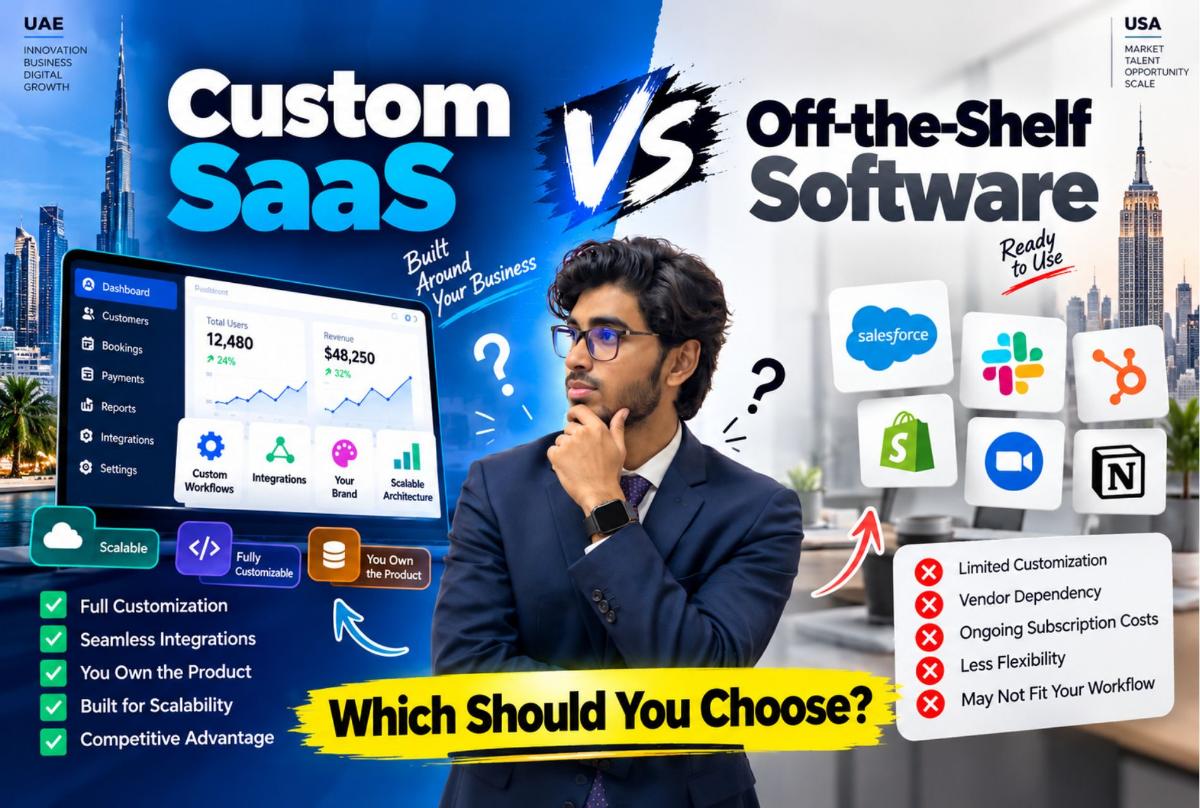
When a business needs new software, the first decision is often framed too simply: should we buy software or build it?
The real decision is more specific. You need to determine whether an existing product can support your business or whether your requirements justify building and owning a SaaS platform around your workflows.
Off-the-shelf software can provide speed, established functionality and a lower initial commitment. Custom SaaS can provide control over workflows, user experience, integrations, architecture and future product direction.
Neither is automatically the correct choice. The mistake is choosing one before understanding the problem.
This guide compares custom SaaS vs off-the-shelf software across the factors that usually matter most to founders and business decision-makers in the United States and UAE. It sits in the Founder & SaaS Product Engineering cluster with SaaS MVP development, SaaS MVP cost, custom SaaS development cost, SaaS development team structure and SaaS product development process.
What Is Off-the-Shelf Software?
Off-the-shelf software is an existing product designed for a broad market. You typically:
- Select product
- Subscribe or purchase
- Configure settings
- Add users
- Connect integrations
- Adapt workflow
Examples can include CRM platforms, accounting software, project management tools, booking platforms, HR systems, marketing platforms and inventory systems.
The central characteristic is simple: the software already exists before you become the customer. That can be a major advantage — you are adopting an existing system rather than funding its initial development.
What Is Custom SaaS?
Custom SaaS development is software engineered around a specific product concept, business model or workflow.
Instead of asking which existing software is closest to what you need, you define what the software should do and how it should work.
The development process can include product discovery, UX/UI, architecture, backend and frontend development, database design, authentication, multi-tenancy, billing, integrations, QA, deployment, analytics and continuous development.
- Discovery
- UX/UI
- Architecture
- Engineering
- QA
- Deployment
- Analytics
- Iteration
Largify’s SaaS product development work follows this product engineering model — covering MVP development, multi-tenant architecture, billing, analytics and infrastructure. For the full sequence, see the SaaS product development process.
Custom SaaS vs Off-the-Shelf Software at a Glance
| Factor | Off-the-shelf | Custom SaaS |
|---|---|---|
| Initial deployment | Usually faster | Requires development |
| Initial investment | Usually lower | Usually higher |
| Workflow flexibility | Limited to available configuration | Designed around requirements |
| Ownership | Vendor-owned product | Client / product-owner controlled |
| Integrations | Supported integrations | Can be engineered around requirements |
| User experience | Existing interface | Custom interface |
| Product differentiation | Limited | High potential |
| Maintenance | Vendor handles core product | Owner is responsible with development support |
| Scalability | Depends on vendor | Architecture can be designed for requirements |
| Feature roadmap | Vendor controls it | Product owner controls it |
| Migration risk | Vendor dependency | Internal ownership responsibility |
| Best fit | Standard workflows | Unique or strategic workflows |
The table is useful as a starting point, not a final decision. The right choice depends on what your business actually needs.
When Off-the-Shelf Software Makes More Sense
Buying software is often the right starting point when your requirements are standard.
For example, imagine a small consulting company that needs customer management, email tracking, tasks, calendar and basic reporting. Several mature products already provide these capabilities. Building a custom CRM would create a large amount of development work to solve a problem that existing products already address.
In that situation, custom development could introduce unnecessary complexity. There is no business advantage in building software simply because you can.
Choose Off-the-Shelf Software When Your Workflow Is Standard
Ask: would most companies in our industry operate roughly the same way?
If the answer is yes, existing software may already cover much of what you need. Typical indicators include standard workflows, standard reporting, common integrations, limited customization, few user roles, no proprietary process, no unique customer experience and no requirement to own the underlying product.
If the software fits, use it.
When Custom SaaS Starts Making More Sense
Custom SaaS development becomes more relevant when the software itself is strategically important — for example when:
- Your workflow is unusual
- Existing products force workarounds
- Several systems need to operate as one
- You need proprietary business logic
- Your product is itself a SaaS business
- You need control over the customer experience
- Your roadmap does not fit existing vendors
- You need specialized integrations
- Your business depends on software differentiation
The important word is strategic. If software is merely an administrative tool, buying may be sufficient. If software is part of how you deliver your competitive advantage, building can become more relevant.
The Biggest Difference: Who Adapts to Whom?
With off-the-shelf software, your business adapts to the software. With custom SaaS, the software adapts to the business or product requirements.
Neither statement is inherently positive or negative. Adaptation is sometimes perfectly reasonable — for example, adapting to an established accounting platform.
Now imagine a company has a proprietary operational workflow that gives it a competitive advantage. Forcing that workflow into generic software may create unnecessary compromises. That is where bespoke SaaS development becomes worth evaluating.
Cost: Custom SaaS vs Off-the-Shelf Software
Cost is where many comparisons go wrong. People often compare a monthly subscription against a development invoice. That is not an equivalent comparison. You should consider the total cost of each path. Related reading: custom SaaS development cost, SaaS MVP cost and custom ERP vs SaaS cost.
The cost of off-the-shelf software
Your real cost may include monthly or annual subscription, additional users, premium features, add-ons, integrations, implementation, migration, training, administrative time and multiple connected applications.
Imagine a business using CRM + booking + accounting + inventory + reporting + communication. Each individual subscription may look reasonable. The combined operating model may become complicated. The issue is not necessarily the subscription price — it is what the entire software stack costs to operate.
The cost of custom SaaS
Custom development can involve discovery, UX/UI, architecture, development, testing, infrastructure, integrations, data migration, training, maintenance and future development. That makes the initial investment larger. There is no honest way around that.
But custom software changes the economic model. You are funding the creation of a system that you control rather than continuously paying another company for access to its product. That does not automatically make custom development cheaper — it means the cost structure is different.
Think in total cost, not just monthly cost
Off-the-shelf: subscription + add-ons + integrations + administration + migration + switching costs.
Custom: discovery + development + infrastructure + maintenance + future development.
Then consider the time horizon. For a short-term requirement, buying software may be financially attractive. For a long-term strategic platform, ownership and flexibility may matter more.
Flexibility: Where Custom SaaS Has a Clear Structural Difference
Off-the-shelf software can usually be configured — settings, fields, users, permissions, workflows and templates within what the vendor allows.
A custom SaaS platform starts from a different position. You can define data structures, user roles, workflows, business rules, interfaces, integrations, automation and reporting around the actual product requirements. That is the fundamental reason companies pursue SaaS software development when configuration is not enough.
Integrations Can Change the Decision
Suppose your company uses CRM, ERP, a payment provider, WhatsApp, calendar, accounting, inventory and a customer portal.
If every system has a reliable integration with every other required system, off-the-shelf software may remain manageable. But if employees constantly export CSV files, copy data between platforms and manually reconcile records, the problem becomes operational.
At that point, the better question is: would connecting these systems properly create more value than continuing with manual work? That is stronger than simply asking whether custom software is expensive. Related: when to replace spreadsheets with custom software.
Custom SaaS Can Become More Valuable When Data Is Connected
In a disconnected software stack:
- Booking system — customer info
- CRM — customer history
- Accounting — invoice
- Messaging — notification
- Reporting — separate data
Someone or something has to connect those records. In an integrated platform:
- Booking
- Customer
- Staff assignment
- Invoice
- Notification
- Reporting
The same underlying business event can drive multiple workflows. That is one of the strongest arguments for custom business software.
Custom SaaS Is Particularly Relevant When the Product Itself Is the Business
There is an important distinction between software used by a business and software sold by a business.
If you are building a SaaS company, the application is not just an internal tool — it is the product. That means you may need control over customer onboarding, account architecture, subscription model, billing, permissions, product experience, feature roadmap, analytics, integrations and infrastructure.
Buying another SaaS product cannot replace the core product you are trying to sell. You need to build it through SaaS product development.
Example: Building a SaaS Product for Salons
Imagine a founder wants to create appointment software specifically for multi-location salons. An off-the-shelf booking system might already provide online booking, calendar, staff scheduling, customer profiles and payments — enough for running one salon.
But the founder wants to sell a SaaS product with multi-tenant accounts, multiple branches, custom roles, salon-specific workflows, automated marketing, AI receptionist, memberships, inventory, customer portal and subscription billing.
The requirement has changed. The software is no longer merely a tool for operating the salon. The software is the product being sold. That is a fundamentally different development problem. Related: online booking system for salons, Beauty Salon product and Beauty & Wellness.
ValionOS: Why Largify Built Instead of Simply Buying
ValionOS provides a practical example. Largify built ValionOS as a proprietary, multi-industry SaaS business operating system rather than adopting an existing software product as its own platform.
The case study describes a connected workspace covering CRM, projects, bookings, finance, inventory, HR, customer portals, reports, automation and AI capabilities.
The reason for building such a platform is not simply that existing software does not exist. There are thousands of business applications. The problem is fragmentation. ValionOS is designed around shared business records, modular applications, automation and workspace-aware AI — exactly the type of requirement where the architecture itself becomes part of the product strategy.
Off-the-Shelf Software Is Not the Enemy
There is a common mistake in custom software marketing: “Generic software is bad. Custom software is better.” That is too simplistic.
Existing SaaS products can be extremely useful. If an established product solves your problem, buying it can save development time, engineering cost, maintenance effort, infrastructure responsibility and product management overhead.
The goal is not to eliminate third-party software. The goal is to identify where it fits and where it becomes a constraint.
The Hybrid Approach Is Often Overlooked
You do not always need to choose between buy everything and build everything. A hybrid architecture can combine both:
- Custom application
- Stripe
- Google Workspace
- Twilio
- Accounting platform
- Cloud infrastructure
The custom application becomes the layer that connects your unique business workflows while established services handle capabilities they already provide well. This can reduce unnecessary development.
Consider hybrid architecture when some workflows are unique, other functions are standard, reliable APIs exist, you want to avoid rebuilding commodity functionality, your core product needs customization and third-party services can handle supporting functions.
The objective is not maximum customization. It is appropriate customization.
Ownership Is Another Major Difference
With off-the-shelf software, the vendor controls the product — roadmap, pricing, core architecture, feature availability, infrastructure and product lifecycle. You have contractual access to the software.
With custom SaaS, the ownership structure can be designed around your organization. Before development starts, clarify source-code ownership, intellectual property, repository access, cloud accounts, database ownership, domain ownership, third-party accounts, documentation and deployment credentials.
This should be contractual, not based on assumptions. Largify’s vendor evaluation checklist specifically recommends clarifying source code, IP, infrastructure, data ownership and whether another team could take over the system.
Vendor Lock-In Looks Different in Each Model
Off-the-shelf software creates dependency on the vendor. If the vendor changes pricing, removes a feature, changes its API, changes its product direction, gets acquired or shuts down the product, your business may need to respond.
Custom SaaS creates a different dependency. You become responsible for infrastructure, maintenance, security, development and product evolution.
So custom software does not eliminate dependency. It changes where the dependency lives.
Time to Market
This is one area where off-the-shelf software often has a natural advantage. The product already exists — you can potentially subscribe, configure, train and start.
Custom SaaS requires discover → design → engineer → test → deploy → launch. That takes longer.
However, if the product itself is your business, speed should not be measured only by how quickly you can launch the first version. You also need to consider how quickly you can change the product afterward.
The Hidden Cost of Choosing Software That Does Not Fit
Suppose an existing application saves your company from building software. That sounds like a win. But employees then spend hours every week exporting data, re-entering records, reconciling reports, moving information, creating workarounds and managing spreadsheets.
The software may be cheap. The workflow may be expensive. This is why software decisions should be evaluated against the entire business process.
Signs Your Business May Be Outgrowing Off-the-Shelf Software
Look for several of these signals together:
- Too many disconnected applications — your team needs several products to complete one business process
- Repeated data entry — employees enter the same information into multiple systems
- Spreadsheet dependency — spreadsheets have become the bridge between applications
- Manual reporting — management reports require combining data manually
- Workflow workarounds — employees have created unofficial processes because the software cannot support the real workflow
- Integration problems — critical systems cannot exchange information reliably
- Product limitations — the vendor’s roadmap does not address an important requirement
- Growing operational complexity — more branches, users, customers or transactions expose weaknesses in the current system
These signals do not automatically mean you should build custom software. They mean the current architecture deserves evaluation.
Signs You Should Stay With Off-the-Shelf Software
Stay with existing software when your workflow is standard, the software covers your requirements, integrations are reliable, users are satisfied, reporting works, costs are predictable, customization requirements are minor and there is no strategic need to own the product.
If those conditions exist, custom development could create more work without solving a meaningful problem.
Custom SaaS vs Off-the-Shelf: A Practical Decision Framework
- Is the workflow standard? Yes → start by evaluating existing products. No → investigate custom options.
- Is software part of your competitive advantage? No → buying may be sufficient. Yes → ownership and customization become more important.
- Does existing software cover most critical requirements? Yes → configure and integrate it. No → consider custom development.
- Are the gaps cosmetic or operational? A different color is not a reason to build software. A workflow that prevents your team from operating efficiently may be.
- Do you need to own the product? If yes, you need an architecture and development strategy that supports ownership.
- Will requirements continue changing? If the product roadmap is central to the business, custom engineering can provide more control over future changes.
A Simple Build vs Buy Matrix
| Requirement | Off-the-shelf | Custom SaaS |
|---|---|---|
| Standard CRM | Strong fit | Usually unnecessary |
| Standard accounting | Strong fit | Usually unnecessary |
| Standard project management | Strong fit | Usually unnecessary |
| Unique operational workflow | May require workarounds | Strong fit |
| Proprietary SaaS product | Not applicable as core product | Strong fit |
| Specialized customer portal | Depends on platform | Strong fit |
| Complex business integrations | Depends on APIs | Strong fit |
| Highly specific permissions | Depends on product | Strong fit |
| Unique automation | Depends on capabilities | Strong fit |
| Product differentiation | Limited | Strong potential |
| Fast initial deployment | Strong fit | Weaker fit |
| Full product ownership | Limited | Strong fit |
This is not a scoring system. The purpose is to expose where each model naturally fits.
How to Approach Custom SaaS Development Without Overbuilding
The biggest risk after deciding to build is going too far. Custom does not mean “build every feature we can imagine.”
Start with the problem, users, workflow, MVP, architecture and what today’s architecture should avoid making unnecessarily difficult tomorrow.
Largify’s SaaS guidance uses discovery and MVP definition before expanding implementation, specifically to keep the first release focused. See SaaS MVP development: what should you build first? and how to scope a software development project.
Do Not Build Custom Software Just Because Existing Software Is Annoying
Frustration is not a business case. Before approving a custom development project, document current workflow, current software, subscription costs, manual work, integration limitations, reporting problems, user complaints, operational bottlenecks and required future capabilities.
Then compare that against the cost and responsibility of building. The same principle applies in ERP contexts: map processes and current software first, then determine whether better integration, off-the-shelf software or custom development is appropriate — see custom ERP vs SaaS cost.
What a Custom SaaS Development Project Should Include
If you decide to build, the project should normally establish product discovery, MVP definition, UX/UI, architecture, engineering, integrations, QA, deployment, ownership and post-launch iteration.
This is why choosing a custom SaaS development company should involve more than comparing developer hourly rates. See SaaS development team structure and agency vs product engineering firm.
Custom SaaS Development for the United States and UAE
For US and UAE companies, the core build vs buy decision is the same. The commercial context can differ.
A company in Dubai may need to account for local business workflows, regional payment requirements, Arabic and English experiences where relevant, local integrations and multi-branch operations.
A US SaaS company may prioritize product-led onboarding, subscription infrastructure, third-party integrations, enterprise requirements and scalable customer acquisition.
The software architecture should follow the actual target market and product model. See UAE, United States and markets.
When a Custom SaaS Development Company Is the Right Partner
A custom SaaS development company becomes relevant when you need a team to handle more than isolated coding tasks — product discovery, UX/UI, architecture, frontend, backend, QA, DevOps, integrations, SaaS infrastructure and post-launch development.
You should also ask who owns the architecture, who owns the source code, how milestones are defined, how changes are handled, how working software is reviewed and what happens after launch.
Largify’s custom SaaS development services and custom software development offerings cover these capabilities when the product warrants a build.
The Decision Is Not Really “Custom vs Off-the-Shelf”
The better question is: Where should we use existing software, and where does our business need software that is specifically ours?
You might buy accounting, build your operational platform, use Stripe for payments, use an external messaging service, build your customer portal, use an established cloud provider and build the workflow connecting everything.
That is often more practical than trying to build every component yourself.
Final Takeaway
Off-the-shelf software is valuable when the problem is standard. Custom SaaS becomes more relevant when the workflow, product, data model, customer experience or business logic is strategically different.
The decision should come from the business process, not from the assumption that custom software is automatically better.
Use existing software when it solves the problem. Customize or integrate when that closes the gap. Build when the software itself becomes strategically important or when existing products cannot support the required workflow without unacceptable compromises.
And if you decide to build, start with the smallest useful product rather than attempting to recreate an entire software ecosystem on day one.
That is the difference between buying software because it exists and building software because the business actually needs to own it.
If you are deciding between an existing SaaS stack and a custom platform, Largify can evaluate the workflow, MVP scope and technical requirements before development begins.
Explore Largify’s SaaS product development services · custom SaaS development cost · what to build first · SaaS MVP cost · development process · ValionOS · discuss whether your product needs custom SaaS development.
Frequently Asked Questions
Is custom SaaS better than off-the-shelf software?
Not automatically. Off-the-shelf software can be the better option when requirements are standard and the product already solves the business problem. Custom SaaS becomes relevant when the workflow or product requirements require more control.
Is custom SaaS more expensive?
Usually, the initial development investment is higher because you are funding product discovery, design, engineering, testing and infrastructure. The appropriate comparison is the total cost of each approach over the period you expect to use it.
How do I know if my business needs custom software?
Look at your workflows. Repeated manual data entry, fragmented systems, unusual processes, integration limitations and software that prevents important workflows from operating efficiently are signals that custom development may deserve evaluation.
Can custom SaaS integrate with existing software?
Yes. A custom platform can be designed to integrate with selected third-party services through APIs, webhooks or other supported integration methods.
Can I use both custom and off-the-shelf software?
Yes. A hybrid architecture can use custom software for proprietary workflows while relying on established third-party products for standard capabilities.
Should a startup build custom SaaS?
If the software is the startup’s actual product, custom development is normally part of the business rather than an optional internal tool. The important question becomes how narrowly the first version should be scoped.
How long does custom SaaS development take?
There is no universal timeline. Scope, architecture, integrations, user roles, billing, mobile applications, AI and other requirements all affect the development timeline. Largify currently positions a standard MVP around 8 to 12 weeks, while more complex products can require substantially more work.
What should I do before starting custom SaaS development?
Define the problem, target users, core workflows, MVP, integrations, ownership requirements and acceptance criteria. Then evaluate the technical architecture and development approach.