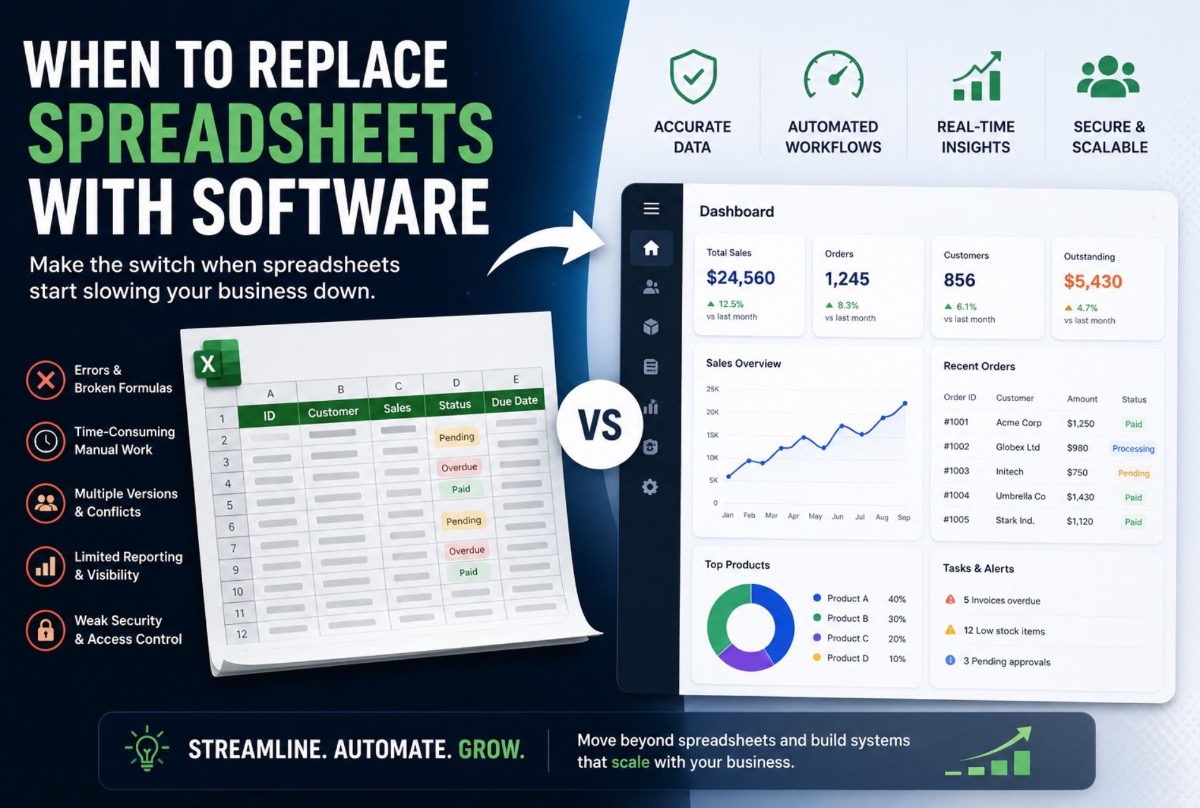
Spreadsheets are useful until the business starts depending on them for everything.
A team might begin with one spreadsheet for sales, another for inventory, and another for expenses. Someone adds formulas. Another person creates a shared version. Eventually, spreadsheets become part of the daily operation.
That is not necessarily a problem.
The problem starts when the business has to work around the spreadsheets instead of simply using them.
If employees are copying the same information between files, waiting for someone to update a master sheet, fixing broken formulas, reconciling conflicting versions, or manually preparing reports, it may be time to consider replacing spreadsheets with software.
The question is not whether spreadsheets are bad.
The question is when to replace spreadsheets with software.
Spreadsheets are not the problem
A spreadsheet can be an excellent tool for a small, controlled process. For example:
- Track a small inventory
- Prepare a simple budget
- Record leads
- Calculate commissions
- Create internal reports
- Manage a temporary project
You do not need custom software simply because a spreadsheet exists.
The problem appears when the spreadsheet becomes the system that holds together a process involving multiple people, departments, locations, or business rules. At that point, the limitations become operational.
Warning sign 1: Multiple people edit the same data
Imagine a sales team maintaining a shared spreadsheet. One person updates a customer status. Another changes the expected deal value. Someone else downloads a copy and edits offline.
Now you have several versions of what is supposed to be the same information. Which one is correct?
A database-backed business application can control how information is entered, updated and accessed — instead of relying on everyone to edit the correct cell.
Warning sign 2: Employees enter the same information more than once
Duplicate data entry is one of the clearest signs that a spreadsheet-based process is reaching its limits.
Consider a service business: a customer submits an enquiry, an employee records them in a spreadsheet, the same customer is added to a booking system, booking details are copied into another sheet, the invoice is prepared elsewhere, and a manager later combines everything for reporting.
Each step may seem manageable. Together, they create unnecessary work. A custom application can connect those steps so information entered once is reused through the workflow.
That pattern is why businesses eventually move booking, enquiry and follow-up into a connected digital platform — see how Largify framed Homework UAE’s website, booking and digital marketing work as one acquisition system rather than disconnected files.
Warning sign 3: Your spreadsheet has become a database
There is a difference between using a spreadsheet to analyze data and using it as the primary operational database.
You may notice the difference when the file contains large numbers of rows, complex formulas, multiple linked sheets, lookup-heavy workflows, manual status tracking, extensive conditional logic, many users, multiple versions, and data that must be accessed throughout the day.
Operational software needs more than rows and columns. It needs controlled workflows, permissions, validation, relationships between records, and predictable behavior.
Warning sign 4: Reports depend on manual work
Ask your team: “How long does it take to prepare our weekly or monthly management report?”
If the answer involves downloading multiple spreadsheets, copying information, cleaning data, checking formulas and manually creating summaries, reporting itself has become a business workflow — and may deserve automation.
Management may need sales by location, outstanding invoices, inventory levels, employee activity, customer activity and monthly revenue. If every report requires manual collection, the business is depending on human effort for basic visibility.
Warning sign 5: One mistake can affect the operation
Spreadsheets depend heavily on user behavior. Someone can delete a formula, paste into the wrong column, overwrite information, upload an outdated version, or break a reference.
If that information affects billing, inventory, scheduling, customer records or operational decisions, the cost of an unnoticed error can become significant.
Software does not eliminate mistakes. It allows more business rules to be enforced by the system rather than relying entirely on users to remember them.
Warning sign 6: You keep adding rules to the spreadsheet
A spreadsheet starts simple. Then come new statuses, approvals, customer-specific calculations, field locks, dashboards and notifications. Eventually it becomes a collection of formulas, tabs, conditional formatting and workarounds.
That usually means the underlying process has outgrown the tool.
Warning sign 7: Different departments need the same information
When sales, operations, finance and management each maintain their own spreadsheet, the organization can develop multiple versions of the same customer record.
A centralized business application can give different departments controlled access to the same underlying records — without duplicating data simply because the users are different.
When should you replace spreadsheets with software?
There is no fixed employee count, revenue threshold or number of files that tells every business when to switch. Look at operational consequences.
Seriously evaluate replacement when several of these apply:
- Core workflows depend on manual data entry between files
- Multiple people need to update the same records
- You need role-based access that spreadsheets handle awkwardly
- Complex business rules, approvals and exceptions are hard to keep consistent
- Multiple locations need centralized information with branch-level control
- Reporting has become a separate job
- Employees are afraid to change the spreadsheet because “something might break”
| Question | If the answer is “yes” |
|---|---|
| Do multiple employees edit the same operational data? | Evaluate a centralized application |
| Is the same information entered repeatedly? | Look for workflow automation |
| Are reports manually assembled? | Evaluate centralized reporting |
| Are permissions difficult to manage? | Consider role-based application access |
| Are formulas becoming complex? | Review whether business rules belong in software |
| Are there multiple versions of important files? | Consider a centralized data source |
| Does the process span departments or branches? | Map the workflow across teams |
| Are spreadsheet errors affecting operations? | Consider system-enforced validation |
You do not need every row to say yes. Several recurring problems in the same workflow are enough to justify a proper evaluation.
What should you build instead?
Replacing a spreadsheet does not mean building a massive enterprise system. Start with the process causing the most friction.
Instead of a sales spreadsheet
Customer records, lead stages, follow-up dates, assigned employees, activity history and reporting.
Instead of an inventory spreadsheet
Products, stock levels, locations, stock movements, reorder information, permissions and reporting.
Instead of a scheduling spreadsheet
Staff availability, appointments, resources, statuses, conflict detection, customer information and notifications.
For appointment-led operators, a dedicated booking experience can replace spreadsheet calendars. When checkout and invoicing also sit in the same operational path, POS becomes part of that system — not a separate spreadsheet after the visit.
Largify’s Man of Cave website, booking and POS system is an example: customers discover and book online, while POS helps the team manage appointments, checkout and invoicing in a more stable workflow than disconnected files.
Do you need custom software or better spreadsheet automation?
This distinction matters. Sometimes you only need better formulas, cleaner data, standardized templates, automated imports, better reporting, a simple integration or a clearer process.
Do not build custom software when a spreadsheet improvement solves the problem.
Custom software becomes more appropriate when the business needs a persistent operational system rather than a document.
A useful test: Are we primarily analyzing information, or are we running a business process?
Spreadsheets are often excellent for analysis. Business applications are generally better for structured operational workflows.
If the need is a company-wide system of record across finance, inventory and ops modules, also compare ERP development. If you are building a multi-customer product to sell, start with SaaS product development instead.
A practical example: booking, POS and invoicing
The difference becomes clearer with an appointment-led workflow. A spreadsheet might record bookings or sales after they happen. A connected system can make each step feed the next.
Example pattern:
Service discovery → Booking → Appointment management → POS checkout → Invoicing → Reporting
That is why POS matters alongside booking for operators like Man of Cave: appointments, payment and invoices should not live in three separate files. See the Man of Cave case study for how website, booking and POS fit into one operational path.
Largify builds POS and related operational software as part of custom software development when a business needs a stable system for checkout, invoicing and day-to-day workflows — not only a public booking page.
The lesson is not that every business needs a huge platform on day one. It is that once a process involves transactions, bookings, users, rules and reporting, the underlying system matters more than the spreadsheet used to track it.
What does replacing spreadsheets actually involve?
- Identify the critical process — do not start with every spreadsheet in the company
- Map the current workflow — who starts it, what they enter, approvals, reports and where errors occur
- Separate requirements from habits — ask why each column exists
- Define user roles — admin, manager, employee, viewer (or your equivalents)
- Build the smallest useful version — then expand based on actual usage
What about existing spreadsheet data?
You do not necessarily throw it away. Existing data may need to be cleaned, standardized, mapped, validated, imported or archived.
Custom software cannot magically fix inconsistent source data. If the same customer appears in three formats, that problem must be addressed as part of migration.
How much does replacing spreadsheets with software cost?
There is no reliable single price. Cost depends on what is being replaced — a simple internal workflow versus multi-department permissions, integrations, complex rules or multi-location operations.
The wrong starting question is only “How much does custom software cost?”
Start with “Which process are we trying to improve, and what does that process actually require?” Then scope and budget can be estimated more realistically.
What happens if you keep using spreadsheets?
Sometimes nothing happens. If the process is small and stable, a spreadsheet may remain perfectly reasonable.
The risk is assuming that because a spreadsheet works today, it will continue to work as the business adds users, records, locations, approvals, integrations, reporting and data dependencies.
Custom software should remove complexity, not move it
There is a trap on the other side: replacing a complicated spreadsheet with a complicated application nobody understands.
Employees should know what to do, what information they need, what happens next, who is responsible and where to see the result. If the new system cannot answer those questions more clearly than the spreadsheet, the project needs more work.
When custom software is probably the right move
Custom software becomes a stronger option when the workflow is operationally important, repeated frequently, used by multiple people, dependent on shared data, controlled by business rules, difficult to manage in spreadsheets, growing in complexity, connected to other systems, or important for management reporting.
At that point, the software is no longer just a convenience. It becomes part of the operating infrastructure of the business.
Largify’s custom software development services focus on proprietary systems around internal workflows, legacy replacement and operational requirements — rather than forcing every process into a generic product model.
If the friction looks like tool sprawl — CRM, booking, invoicing, spreadsheets and portals that do not share records — Largify’s own product, ValionOS, is built for that problem as a multi-industry AI business operating system. See the ValionOS product case study or explore the live platform at valionos.com.
The bottom line
You should not replace spreadsheets because spreadsheets are outdated. You should replace them when they create more operational work than they save.
If employees are duplicating data, fixing errors, manually preparing reports, managing multiple versions or working around complex spreadsheet rules, the business has probably outgrown the original use case.
Start with one workflow. Map it. Find the friction. Determine whether better spreadsheet practices, automation, integration or custom software is the right path. If custom software is justified, build around the workflow rather than simply recreating the spreadsheet as an application.
Need to evaluate a spreadsheet-based process?
If a critical business workflow has become difficult to manage in spreadsheets, Largify can help map the process and determine whether it should be automated, integrated or rebuilt as custom software.
If the next step is a customer or staff mobile client on iOS and Android, also read cross-platform vs native mobile app development cost before you lock a platform strategy.
Discuss your custom software requirements — or talk to the Largify team about the workflow causing the most friction.
Frequently asked questions
When should a business replace spreadsheets with software?
When important workflows involve multiple users, repeated data entry, complex rules, manual reporting, duplicate records, permission requirements or frequent errors.
Are spreadsheets bad for business?
No. Spreadsheets are useful for analysis, planning and smaller processes. Problems arise when a spreadsheet becomes the central system for complex operational workflows.
What are signs that a spreadsheet has become too complex?
Many linked sheets, complex formulas, multiple versions, frequent manual updates, duplicated data, difficult reporting, and employees afraid to change the file because something may break.
Should every spreadsheet be replaced with custom software?
No. Focus on the workflows where spreadsheets create measurable operational friction.
Can existing spreadsheet data be moved into custom software?
Yes. Data can often be cleaned, mapped, validated and imported. The approach depends on the structure and quality of the existing data.
Is custom software better than spreadsheets?
Not automatically. Custom software helps when you need structured workflows, permissions, shared data, automation, integrations or reporting that a spreadsheet cannot handle efficiently. For simple tasks, a spreadsheet may remain the better tool.