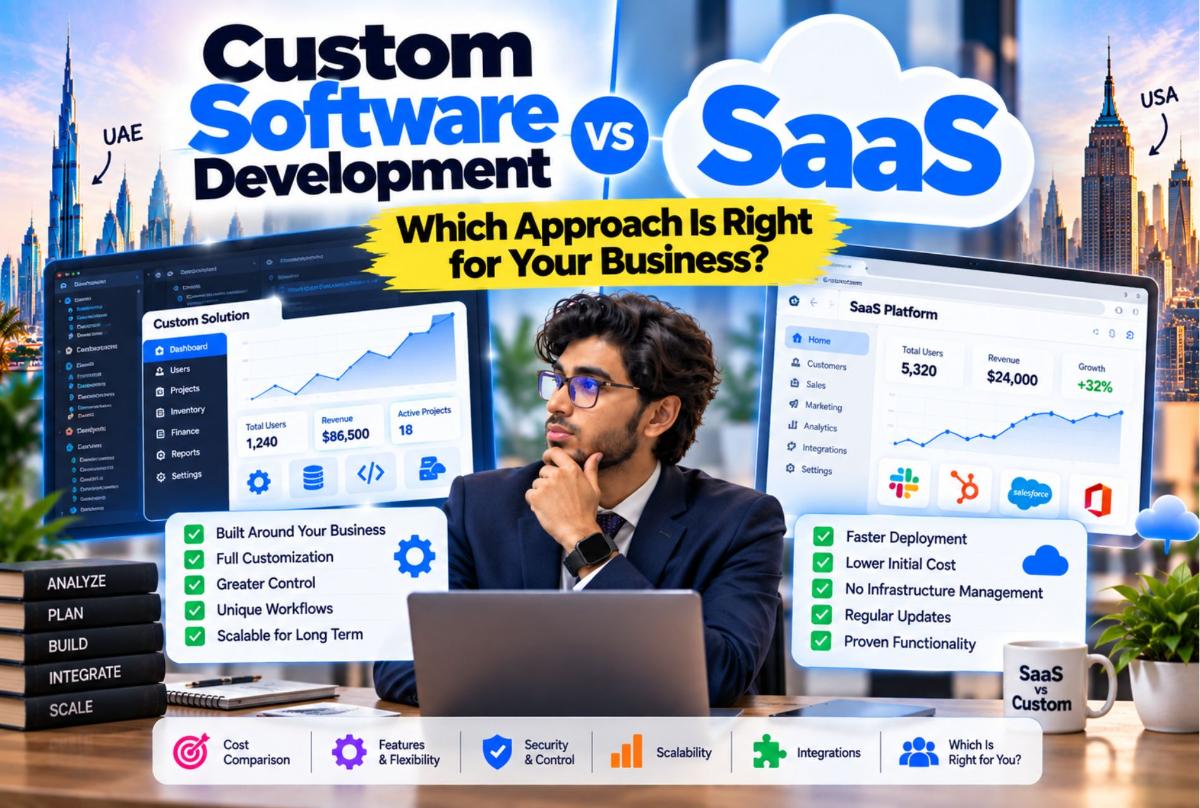
When a business needs better software, one of the first decisions is usually:
Should we build our own software, or should we subscribe to an existing SaaS platform?
Neither option is automatically better.
A SaaS product can get a business operational quickly without the cost and responsibility of building an entire software platform. Custom software can make sense when the company's workflows, integrations, data requirements, or operating model do not fit well inside existing products.
The wrong decision can create a different kind of problem. A company can spend years adapting its operations around a SaaS product that was never designed for its workflow. Alternatively, it can spend heavily building custom software when an existing SaaS platform already solves the problem adequately.
The decision should therefore start with the business process, not the technology. This guide compares custom software vs SaaS for companies in the United States and the United Arab Emirates, with practical links to custom software development and SaaS product development.
What Is SaaS?
Software as a Service, or SaaS, is software that a company accesses through a subscription or service model rather than owning and maintaining the entire application infrastructure itself.
Examples include software for:
- CRM
- Accounting
- Project management
- Communication
- HR
- Marketing
- Scheduling
- Customer support
- Collaboration
With SaaS, the provider generally manages the underlying product and infrastructure while customers use the application. This makes SaaS attractive when a company needs a standard capability without building the technology itself. Related reading: custom SaaS vs off-the-shelf software.
What Is Custom Software?
Custom software is built specifically around the requirements of a particular business, industry, workflow, or operating model.
Instead of changing the company's process to fit an existing product, the software is designed around the process.
For example, a company might require a system that combines:
- CRM
- Quoting
- Scheduling
- Staff management
- Inventory
- Billing
- Reporting
If existing SaaS products require employees to move between several systems, custom software could potentially bring the workflow together. That does not automatically make custom software the better choice. It means there is a business problem worth evaluating — the same principle behind when to replace spreadsheets with custom software.
Custom Software vs SaaS at a Glance
| Factor | SaaS | Custom Software |
|---|---|---|
| Initial deployment | Usually faster | Usually requires development |
| Upfront development | Lower | Higher |
| Customization | Limited to available capabilities | Designed around requirements |
| Ownership | Generally subscription-based | Can provide greater control depending on agreement |
| Maintenance | Provider-managed | Business and development partner manage it |
| Integrations | Depends on available integrations | Can be designed around required systems |
| Workflow flexibility | Usually constrained by product | Can be built around business processes |
| Scalability | Depends on provider | Can be architected for specific requirements |
| Product roadmap | Controlled by provider | Controlled by business |
| Long-term control | More limited | Greater potential control |
The important word is potential. A custom application does not automatically provide complete ownership or control. Those terms need to be explicitly defined in the development agreement — see the custom software development company evaluation checklist.
When SaaS Makes More Sense
SaaS can be practical when your business needs a capability that is already well served by the market.
For example, you need standard project management. An established SaaS platform may already provide tasks, teams, projects, notifications, reports, and collaboration. Building all of this yourself may create unnecessary work.
The same logic applies to many standard business functions. If the capability is commodity software, buying is often the rational first move.
SaaS is particularly useful when speed matters
Suppose a company needs CRM software next month. Building a custom CRM could require product planning, UX design, development, testing, deployment, and training. An existing SaaS CRM can potentially be configured much faster.
If the business process is standard, SaaS can provide a practical shortcut. For founders building a product to sell, speed still matters — but the product itself usually needs to be built. See SaaS MVP: what to build first.
SaaS can also reduce technical responsibility
With SaaS, the provider typically handles much of the underlying product maintenance. The customer does not necessarily need to manage application infrastructure, software releases, core product maintenance, some security controls, and product updates.
The exact responsibilities depend on the provider and contract. That can be valuable for businesses that do not want software engineering to become an internal operational responsibility.
The Problem With SaaS Appears When Your Workflow Is Different
Consider a company with an unusual operational process. Its workflow may look like:
- Lead
- Custom quotation
- Approval
- Resource allocation
- Branch scheduling
- Service delivery
- Inventory consumption
- Billing
- Performance reporting
The company might find that its CRM, scheduling platform, inventory software and accounting system each handle part of the process. Now employees become the integration layer. They copy information from one system to another.
That is where SaaS fragmentation can become expensive. Related: custom ERP vs SaaS cost and multi-branch management systems.
The Hidden Cost of Multiple SaaS Products
The subscription price of individual tools is only one part of the equation.
Consider a business using CRM, a booking system, accounting software, an HR platform, an inventory system, and project management software. The company may also need integration tools, data synchronization, employee training, multiple logins, duplicate data entry, support across different vendors, and custom workarounds.
The problem is not necessarily that any individual SaaS product is bad. The problem is the space between them.
When Custom Software Makes More Sense
Custom development becomes more relevant when the software itself is part of the company's competitive workflow.
Examples include businesses with:
- Unique operational processes
- Complex approval systems
- Specialized industry workflows
- Multiple branches
- Complex permissions
- Proprietary business logic
- Specialized customer portals
- Unusual integrations
- Large internal operational teams
In these situations, forcing the business into generic software can become more expensive than designing software around the actual operation. That is where a custom software development company should start with discovery, not feature lists. See also how to scope a software development project.
Custom software gives you more control over the workflow
Imagine a company that needs a very specific approval process. A generic SaaS product might offer: Request → Approval → Complete. But the company's real process is:
- Request
- Department review
- Financial approval
- Compliance review
- Regional manager
- Final approval
- Execution
Custom software can be designed around that workflow. The important value is not "customization" as a buzzword. It is the ability to represent the company's actual operation in software.
Custom software can also unify business systems
A custom business platform can potentially bring several functions together:
- CRM
- Bookings
- Operations
- Inventory
- Finance
- Reporting
Instead of each department maintaining separate systems, these functions can share a common data model. That is one of the strongest reasons companies consider custom ERP or business operating systems. Explore custom ERP development when standard ERP software does not adequately fit the required workflow.
Custom Software vs SaaS Cost
Cost is where this decision often becomes misleading.
SaaS generally appears cheaper because you pay a subscription rather than funding a complete software project. Custom software generally requires more upfront investment.
But the relevant calculation is not simply SaaS monthly price vs custom development price. It is:
Total cost of operating the workflow over the expected lifetime of the system.
| Cost area | SaaS stack | Custom system |
|---|---|---|
| Software subscriptions | Recurring | Potentially reduced |
| Initial development | Lower | Higher |
| Integrations | Potential additional cost | Built around requirements |
| Data duplication | Possible | Can be reduced through shared architecture |
| Vendor dependency | Higher | Lower potential dependency |
| Maintenance | Mostly provider-managed | Requires technical support |
| Customization | Product-dependent | Designed for requirements |
The correct answer depends on the actual business. For SaaS product budgets, see custom SaaS development cost and SaaS MVP development cost. For ERP-shaped buy-vs-build economics, see custom ERP vs SaaS cost.
The break-even question
Instead of asking "Is custom software expensive?", ask: How much does our current workflow cost us every year?
Include software subscriptions, integration costs, manual data entry, employee time, reporting work, duplicate records, process delays, training, operational mistakes, and vendor limitations.
If the business is spending significant resources compensating for disconnected systems, custom development deserves closer evaluation.
Custom software is not always cheaper
This needs to be said clearly. Custom software creates its own costs. You may need development, hosting, maintenance, security updates, bug fixes, new features, technical support, and documentation.
A custom application is an asset that needs to be managed. Building it does not make the ongoing engineering responsibility disappear.
SaaS vs Custom Software for Startups
Startups should be particularly careful about building too much too early.
If a startup needs email, accounting, project management, CRM, and team communication, it may make little sense to build all of these capabilities. Use existing software where the capability is standard. Build custom technology where the technology itself creates differentiation.
When startups should consider custom development
Custom development becomes more compelling when the product itself is the business.
For example: a founder wants to build a SaaS platform for healthcare providers. The software is not an internal tool. The software is the product being sold.
In this case, custom SaaS product development is obviously part of the business model. The question becomes how to build the MVP efficiently without creating unnecessary complexity. For that situation, see our guide to SaaS MVP development: what to build first, and how to choose a SaaS development company.
Custom Software vs SaaS for Established Businesses
Established companies often have the opposite problem. They already have employees, customers, branches, historical data, existing systems, and established workflows. Replacing everything immediately may be risky.
A better approach can be incremental:
- Centralize data
- Connect workflows
- Replace weakest process
- Add automation
- Expand platform
This reduces the need for a massive "replace everything" project. Scope discipline matters — see how to scope a software development project.
What About ERP?
ERP is where the SaaS vs custom decision becomes particularly important. A business may choose off-the-shelf ERP, configured ERP, custom ERP, or a hybrid architecture. Each approach has different trade-offs.
If the company's processes closely resemble standard ERP workflows, an existing ERP may be appropriate. If its operating model is highly specialized, custom development may deserve consideration.
For businesses evaluating that decision, our custom ERP development services can be relevant when standard ERP software does not adequately fit the required workflow. Cost context: custom ERP vs SaaS cost. For Dubai SME context, see cloud-based ERP for small business in Dubai.
SaaS vs Custom Software for Multi-Branch Businesses
Multi-branch businesses can encounter another problem: fragmented data.
Imagine three locations. Each branch may run customers, bookings, and inventory in separate systems. Management may struggle to obtain a unified view.
A centralized platform can potentially provide shared customer records, branch-level permissions, central reporting, inventory visibility, staff management, booking management, and consolidated financial information.
The architecture needs to be designed carefully so that branch-level access and organization-wide reporting coexist properly. Read multi-branch management systems.
SaaS vs Custom Software for UAE Businesses
Businesses in the UAE can face particularly diverse operational requirements across industries. A company operating in Dubai may need multi-branch management, local payment workflows, staff management, customer portals, Arabic and English support, and industry-specific workflows.
A standard SaaS product may already provide everything required. If it does, custom development may add unnecessary complexity. If the company's workflow repeatedly requires workarounds, integrations or manual processes, custom software becomes more relevant.
Companies evaluating partners often search for a custom software development company UAE, custom business software development UAE, or a SaaS development company Dubai. The label matters less than whether the partner can map the workflow before proposing architecture. Explore Largify's custom software development and SaaS product development services UAE paths, and market context on Largify in the UAE.
SaaS vs Custom Software for US Businesses
US businesses also vary significantly. A small professional-services company may need little more than an established CRM and accounting platform. A larger organization with proprietary workflows may require custom internal systems, specialized portals, enterprise integrations, advanced permissions, automated workflows, and custom reporting.
Again, company size alone does not determine the answer. The workflow does. Teams comparing a custom software development company USA, custom software development services USA, or SaaS development company USA should still start with process mapping — then evaluate vendors with the evaluation checklist. Market context: Largify in the United States.
A Hybrid Approach Can Be More Practical
The decision does not have to be 100% SaaS or 100% custom. A company can combine both:
- Accounting SaaS
- Payment provider
- Communication platform
This approach lets the business use established software for standardized functions while custom-building the workflows that actually differentiate the business. The same hybrid mindset appears in custom SaaS vs off-the-shelf software.
How ValionOS Fits Into This Decision
ValionOS is built around the broader idea of a business operating system rather than forcing every business function into isolated tools.
The concept connects areas such as CRM, bookings, projects, inventory, finance, HR, reporting, automation, and AI capabilities. The important distinction is that the value comes from how these functions interact:
- Customer
- Booking
- Operational task
- Inventory
- Invoice
- Business reporting
Instead of treating every activity as an isolated application, the business can work from connected data and workflows. For organizations evaluating whether fragmented SaaS tools are becoming an operational problem, explore ValionOS as a business operating system and read the ValionOS case study.
Five Questions to Ask Before Choosing
- Is our workflow standard? If yes, SaaS may already solve the problem. If no, investigate customization or custom development.
- How many systems do employees use? If employees constantly move information between platforms, there may be an integration or consolidation opportunity.
- Is the workflow strategically important? If the process is a competitive advantage, controlling the software around it may matter more.
- How quickly do we need the solution? If you need the capability immediately, SaaS may provide a faster route.
- Will our requirements change significantly? If your product or workflow is evolving rapidly, architecture and ownership become more important.
A Simple Decision Framework
Choose SaaS when:
- The problem is standard.
- Existing products meet your requirements.
- Speed matters.
- You want lower initial investment.
- You do not need extensive customization.
- You prefer provider-managed maintenance.
Investigate custom software when:
- Your workflows are highly specialized.
- Existing software requires significant workarounds.
- Multiple systems need to operate as one.
- Software is strategically important.
- You need specialized integrations.
- You need control over the product roadmap.
Consider hybrid software when:
- Some requirements are standard.
- Other workflows are unique.
- You want to minimize custom development.
- Existing SaaS products can handle non-differentiating functions.
How to Decide Without Guessing
Before making the decision, document:
- Current systems — What software do you use?
- Current workflow — How does information move between teams?
- Pain points — Where do employees lose time?
- Required integrations — Which systems must communicate?
- Future requirements — What will the business need over the next several years?
- Ownership requirements — Who needs control over the software and source code?
- Budget — What can the company reasonably invest?
Once these are documented, the decision becomes much less abstract. Delivery process detail: SaaS product development process.
What Largify Can Help With
Largify works across software development, SaaS product development and business systems. Depending on the requirement, the appropriate solution may be:
- A custom web application
- A SaaS product
- A custom ERP
- A business operating system
- An integrated workflow platform
- A hybrid solution combining SaaS products and custom software
The important part is determining which architecture actually fits the business.
If your existing software stack is creating operational bottlenecks, explore Largify's custom software development services to evaluate what should be built, integrated, or replaced. For product companies, start with SaaS product development or start a project conversation.
Final Takeaway
There is no universal winner between SaaS and custom software.
The better question is:
Which approach fits the way your business actually operates?
Choose SaaS when an existing product already solves the problem effectively. Consider custom development when your workflows, integrations, data or business model require capabilities that existing software cannot provide efficiently. And consider a hybrid approach when some parts of the business are standard while others require specialized software.
The decision should ultimately come down to workflow, cost, control, integration, scalability, and business importance — not simply whether one technology is more modern or more customizable.
For businesses in the United States and UAE evaluating their next software investment, the first step is to map the current workflow and identify exactly where existing software is helping and where it is creating friction. From there, the right technology choice becomes much easier to see.
Custom software development · SaaS product development · ERP development · ValionOS · custom SaaS vs off-the-shelf · custom ERP vs SaaS cost · SaaS MVP: what to build first · custom SaaS development cost · how to choose a SaaS development company · build your product.
Frequently Asked Questions
Is custom software better than SaaS?
Neither is universally better. SaaS can be appropriate for standardized business requirements, while custom software can be appropriate for specialized workflows or systems that require greater control.
Is SaaS cheaper than custom software?
SaaS generally has lower initial implementation costs, while custom software usually requires greater upfront investment. The long-term cost depends on subscriptions, integrations, maintenance, development and the complexity of the business workflow.
When should a business build custom software?
Custom software is worth evaluating when existing products cannot efficiently support important workflows, integrations, permissions or business requirements.
Can custom software replace multiple SaaS products?
It can, depending on the requirements. A custom platform can potentially consolidate several connected workflows, although some standard capabilities may still be better handled by specialized SaaS products.
Is hybrid software a good option?
A hybrid approach can make sense when standardized capabilities can be handled by existing SaaS products while unique business workflows are handled through custom software.
Should startups build custom software?
Startups should generally avoid building custom versions of standard tools unnecessarily. Custom development becomes more relevant when the software itself is the product or when proprietary technology is central to the business model.