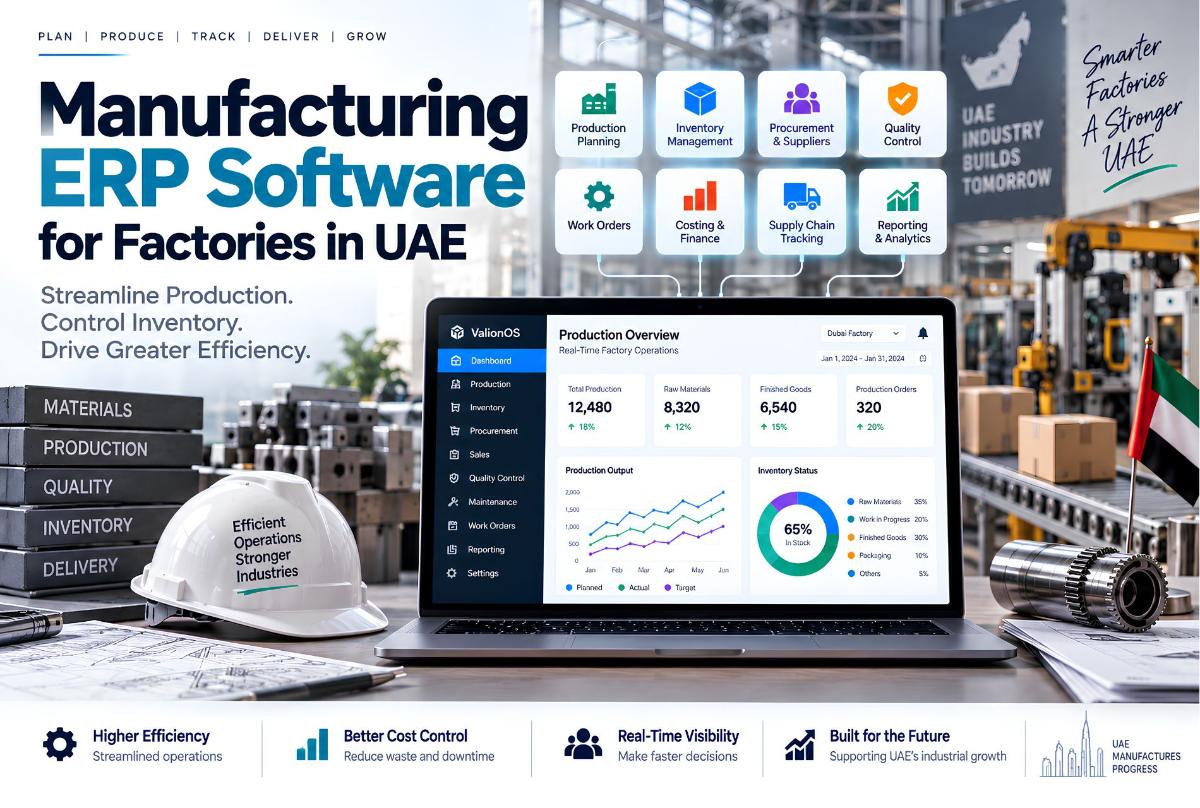
Manufacturing ERP software for factories in UAE has to do more than keep a stock list. A factory coordinates raw materials, purchasing, suppliers, production planning, machines, work orders, labour, warehouses, quality checks, finished goods, sales orders, deliveries, costing, and financial records.
When those processes live in separate spreadsheets and disconnected tools, information becomes hard to reconcile. A manufacturing ERP brings them into one connected operational environment.
For UAE factories, the important question is not whether an ERP has a “manufacturing module.” The real question is: Can the ERP accurately represent how the factory plans, produces, stores, sells, and accounts for its products?
This commercial guide explains what modules matter, how production connects to inventory and finance, and when to evaluate ERP development or custom software development. For SME cloud ERP context in Dubai, see cloud based ERP for small business in Dubai. For buy-vs-build economics, read Custom ERP vs SaaS cost.
What Is Manufacturing ERP Software?
Manufacturing ERP software is an enterprise resource planning system designed to connect manufacturing operations with inventory, purchasing, sales, finance, and reporting.
A simplified manufacturing workflow can look like this: Sales Order → Production Requirement → Bill of Materials → Material Availability → Purchase / Procurement → Production Order → Quality Control → Finished Goods → Warehouse → Delivery → Invoice.
A manufacturing ERP connects the information moving through these stages. Without that connection, each department may maintain its own version of the truth.
Why Factories Need More Than Basic ERP
A standard business ERP might manage customers, sales, purchasing, inventory, invoices, and expenses. A manufacturing operation often needs another layer: bills of materials, production orders, work centers, production planning, material requirements, machine scheduling, batch tracking, quality control, work-in-progress, manufacturing costs, and production reporting.
That is where manufacturing ERP UAE projects differ from a general SME management system — and where factory management software Dubai buyers should look past generic feature lists.
Manufacturing ERP Modules a UAE Factory May Need
There is no universal module list. A food manufacturer, furniture maker, metal fabrication company, and electronics manufacturer can have very different workflows. Still, several modules commonly become important.
1. Inventory management
The ERP should distinguish inventory states — for example raw materials → work in progress → finished goods. These are not interchangeable.
A factory may have large quantities of material in its warehouse and still be unable to fulfil a production order because the required specification is different. Manufacturing inventory needs more detail than simple quantity tracking. For manufacturers evaluating deeper stock control, that often means custom inventory management software for manufacturers UAE workflows rather than a generic stock app.
2. Bill of materials (BOM)
A Bill of Materials defines the materials and components required to produce a finished product. For example, an office desk might require wooden panels, a metal frame, screws, adhesive, and packaging.
The ERP can use the BOM to determine material requirements for a production order. If the product changes, the BOM can change. This creates a structured relationship between the product and the materials required to manufacture it.
3. Production planning
Production planning answers: What needs to be produced, and when?
If a factory receives orders for 500 units of Product A, 300 of Product B, and 200 of Product C, the ERP should help determine required materials, available inventory, production capacity, production sequence, expected completion, and resource requirements. Planning must stay connected to inventory and sales.
4. Production planning and control software
Planning alone is not enough. The factory also needs production control — tracking planned production, released work orders, work in progress, completed and rejected quantities, machine or workstation usage, delays, and material consumption.
Production planning and control software in Dubai creates visibility between what management planned and what the factory actually produced.
5. Procurement management
Manufacturing cannot operate without materials. A manufacturing ERP should connect procurement to actual production requirements.
Example: production needs 1,000 kg of Material A; inventory holds 300 kg; shortage is 700 kg. The system can identify the procurement requirement — more useful than purchasing from manual spreadsheet calculations alone.
6. Supplier management
Supplier records can include details, products supplied, purchase history, prices, lead times, purchase orders, delivery records, and payment information. Procurement teams get a historical view, and the ERP can connect suppliers with purchasing and inventory.
7. Warehouse management
Manufacturing warehouses often hold raw materials, components, packaging, work in progress, finished products, returned materials, and rejected materials.
A warehouse module should support real movement: Receiving → Storage → Material issue → Production → Finished goods → Dispatch — preserved as a traceable record.
8. Batch and lot tracking
Some industries need products and materials tracked by batch or lot — for example Raw Material Batch 1024 → Production Order 455 → Finished Product Batch 781.
That creates traceability. If a quality problem appears later, the business can investigate associated materials and production records. Whether this level of tracking is necessary depends on industry and operational requirements.
9. Quality control
Quality should not be treated as something that happens only after production. An ERP can place checkpoints inside the workflow:
- Incoming material — inspection → approved / rejected
- Production — in-process inspection → continue / correct / reject
- Finished product — final inspection → approved for warehouse
Quality control then lives inside the production process rather than as an isolated record.
10. Work orders
A work order tells the production team what needs to happen. It can contain product, quantity, required materials, production steps, assigned workstation, planned start and completion, actual completion, and quality status. A structured work-order system gives production teams a common operational record.
11. Machine and work center management
Factories may run stages such as Cutting → Assembly → Painting → Quality Control → Packaging, each with different capacity and processing requirements. An ERP can model these work centers and connect them to planning.
Some operations only need manual production records. Others may require deeper machine or shop-floor integration.
12. Manufacturing costing
Manufacturing cost is not simply raw material cost. Depending on the operation, the business may need materials, labour, machine time, energy, packaging, overhead, waste, and production losses.
A manufacturing ERP can structure these inputs so management has a clearer view of product costs — especially important when pricing. If production cost is underestimated, the sales price may look profitable while the actual margin is much lower.
Manufacturing ERP Should Connect Sales and Production
One of the most important relationships is Sales → Production → Inventory → Delivery.
When a customer orders 1,000 units, the sales team records the order. The ERP should then help determine: Do we already have finished goods? If not, do we need production? Do we have enough raw material? Do we need to purchase more? What is the expected production date? When can the order be delivered?
That is the difference between a sales system and an integrated manufacturing system — and a core reason factories evaluate dedicated ERP development rather than another isolated tool.
Manufacturing ERP and Inventory Management
Inventory is where manufacturing ERP often becomes especially valuable. A factory may show 5,000 units of Product A while 2,000 are already reserved for existing orders. Available quantity is not simply 5,000.
The ERP needs to distinguish physical stock, reserved stock, available stock, damaged stock, work-in-progress stock, and expected incoming stock — a more useful picture of actual availability.
Supply Chain Tracking Software for Manufacturers in Dubai
Manufacturing rarely stops at the factory gate. The business may depend on suppliers, freight providers, warehouses, distributors, customers, import processes, and local deliveries.
Supply chain tracking software development Dubai teams can help connect stages such as: Purchase Order → Supplier Confirmation → Shipment → Warehouse Receipt → Inventory → Production → Customer Delivery.
Each stage creates information useful to another department. The ERP should make those relationships visible where the business requires them. Multi-location inventory patterns also appear in our multi-branch management guide.
Multi-Warehouse Manufacturing
A manufacturer may operate a main warehouse, raw-material warehouse, finished-goods warehouse, production facility, and distribution location. The system should distinguish inventory by location.
| Product | Warehouse | Quantity |
|---|---|---|
| Material A | Raw Materials | 4,500 kg |
| Product B | Factory | 750 units |
| Product B | Dubai Warehouse | 1,200 units |
| Product C | Distribution | 850 units |
Management then understands not just how much inventory exists, but where it exists.
ERP Reporting for Factory Management
Different users need different views.
- Daily operations — production orders, material shortages, machine status, quality issues, warehouse movements
- Management — production volume, inventory levels, procurement, sales, costs, order status
- Executive — revenue, gross margin, production performance, inventory value, customer orders, operational trends
A factory worker does not need the same dashboard as the CEO. Role-based permissions matter because manufacturing ERP contains sensitive operational and financial information.
- Production manager — production orders, work centers, schedules, quality records
- Procurement manager — suppliers, purchase orders, material requirements
- Finance — costs, invoices, payments, financial reporting
- Executive — company-wide dashboards and summaries
Cloud Manufacturing ERP vs On-Premise
A UAE factory may consider both models.
Cloud ERP can offer remote access, centralized updates, reduced local infrastructure, and easier access across locations.
On-premise ERP may be considered for specific infrastructure requirements, local system constraints, particular integrations, or operational reasons for keeping systems inside the factory’s own environment.
The right deployment model depends on technical and operational requirements — including how the business operates across the UAE market.
How Much Does Manufacturing ERP Cost in the UAE?
Pricing varies because manufacturing workflows vary. A simple operation might need inventory, purchasing, sales, production orders, and basic reporting. A more complex factory may require multi-stage production, BOM management, MRP, multiple warehouses, batch tracking, quality control, machine integration, advanced costing, multi-branch operations, supplier integrations, and custom reporting.
These are very different projects. Instead of estimating from screen count, scope should be based on users + workflows + modules + integrations + data + complexity.
That is why Largify scopes software from requirements and workflows before development — explained in how to scope a software development project. Cost ranges for ERP approaches more generally are covered in Custom ERP vs SaaS cost; manufacturing projects still need a factory-specific scope before a meaningful estimate.
When Should a Factory Build Custom ERP Software?
A factory does not automatically need custom ERP. Existing manufacturing platforms may be suitable when workflows are relatively standard, required modules already exist, configuration is sufficient, integrations are available, and customization needs are limited.
Custom ERP becomes more relevant when manufacturing workflows are highly specific, existing systems require excessive workarounds, multiple systems need to be unified, proprietary operational processes exist, complex integrations are required, or existing products cannot represent important workflows properly.
The objective should not be to build software simply because it is custom. Build only where customization solves a real operational problem — which is the core of Largify’s custom software and ERP approach.
When Existing ERP Is Better Than Custom ERP
There is an important distinction between “our ERP needs customization” and “we need to build an ERP from scratch.”
A factory might already have a capable ERP and only need custom reports, new workflows, API integrations, additional approvals, custom dashboards, or industry-specific modules. Extending or integrating an existing system may be more practical than replacing it.
How Largify Approaches Manufacturing ERP Development
Largify approaches ERP development by first mapping the business operation: Business requirements → Production workflows → User roles → Data relationships → Required modules → Integrations → ERP architecture → MVP → Implementation → Expansion.
A factory producing made-to-order products may need a very different system from a manufacturer producing standardized goods at high volume. The architecture should follow that distinction.
Largify’s broader ERP approach focuses on connecting inventory, CRM, finance, and business workflows rather than treating each module as an isolated application.
How ValionOS Relates to Connected ERP Architecture
Largify’s ValionOS is a broader business operating system rather than a manufacturing-specific ERP product. Its architecture connects business applications, shared records, automation, and AI within a multi-tenant platform — including capabilities such as CRM, projects, bookings, finance, inventory, HR, portals, and reporting.
That makes ValionOS relevant to the architectural idea behind modern ERP: business functions should share data and workflows where they need to.
It should not be presented as a replacement for every specialized manufacturing system. For factories with highly specialized production requirements, manufacturing-specific modules and integrations may still be necessary. Read the ValionOS case study for how Largify approaches modular ERP, shared business data, automation, and AI within one operating platform.
Note: Largify does not currently publish a manufacturing-specific factory case study. We will not invent one. Evaluation should be based on your workflows, the ERP service approach, and relevant product architecture such as ValionOS.
A Practical Manufacturing ERP Architecture
A simplified architecture could look like this: management sits above BI / reporting; sales, finance, and operations feed inventory and procurement; production sits below with BOM, work orders, and quality; finished goods move into warehouse.
The exact architecture varies by factory. The important concept is that modules share the business data required to operate the workflow.
Common Manufacturing ERP Mistakes
- Building before mapping production — software can look impressive while failing to represent the real factory workflow.
- Treating inventory as a simple quantity — manufacturing often needs states, locations, batches, reservations, and WIP.
- Ignoring costing — production decisions become difficult without a clear cost structure.
- Forgetting quality workflows — quality checks should sit inside the process where required.
- Treating procurement separately — material requirements should connect to planning.
- Adding every module at launch — a massive ERP can be hard to implement and train.
- Ignoring integrations — factories may already use accounting, machines, logistics, payment, or warehouse systems.
A Manufacturing ERP MVP
A factory does not necessarily need every module on day one.
Phase 1
- Users and permissions
- Products, suppliers, customers
- Inventory, purchasing, sales
- BOM and production orders
- Basic reporting
Phase 2
- Advanced production planning
- Quality control and batch tracking
- Multi-warehouse
- Advanced costing and supplier performance
Phase 3
- Machine integration
- Advanced analytics and automation
- AI assistants and predictive workflows
- Additional integrations
Actual phases should follow the factory’s operational priorities — the same discipline as scoping a software project.
Questions to Ask Before Choosing Manufacturing ERP Software
Before selecting a platform, ask about production (orders, BOMs, WIP, delays), inventory (warehouses, reservations, batches, adjustments), procurement (MRP-style requirements, lead times, receiving), quality (checkpoints, rejects, batch links), finance (costing, invoices, payments), integration (existing systems, APIs, export), and scalability (new warehouses, lines, users, and roles).
These questions reveal more than a feature checklist.
Final Takeaway
Manufacturing ERP software for factories in UAE should connect the operational chain: Sales → Planning → Procurement → Inventory → Production → Quality → Warehouse → Delivery → Finance.
The exact modules depend on the factory. A simple manufacturer may need a focused ERP. A complex operation may require production planning, BOMs, work orders, quality management, batch tracking, advanced costing, multiple warehouses, and deeper integrations.
Do not buy the ERP with the longest feature list. Choose or build the system that accurately represents the workflows your factory actually depends on.
Building an ERP in a specific market? See our guides to ERP software development in Dubai and the UAE, ERP development in Saudi Arabia with ZATCA e-invoicing and ERP software development for US companies.
Frequently Asked Questions
What is manufacturing ERP software?
Manufacturing ERP software connects production operations with business functions such as inventory, procurement, sales, finance, quality, and reporting.
What modules should manufacturing ERP include?
Common modules include inventory, procurement, sales, BOM management, production orders, production planning, warehouse management, quality control, costing, and reporting.
Is manufacturing ERP suitable for small factories?
Yes. The system can be scoped around the factory’s actual requirements. A smaller operation does not necessarily need every enterprise manufacturing module.
Can manufacturing ERP manage multiple warehouses?
Yes. A properly designed ERP can track inventory across multiple warehouses and connect those locations with purchasing, production, and sales.
Can ERP connect production with inventory?
Yes. This is one of the core benefits of integrated manufacturing software. Production requirements can be connected to material availability and inventory movements.
How much does manufacturing ERP cost in the UAE?
Cost depends on users, modules, production complexity, integrations, data migration, customization, and deployment. A proper scope should be created before a meaningful development estimate.
Should a factory buy an ERP or build a custom ERP?
It depends on how closely available platforms match the factory’s workflows. Standard requirements can often be handled by existing platforms; highly specialized processes may justify customization.
Need a Manufacturing ERP Designed Around Your Factory?
If your factory is managing production, inventory, purchasing, warehouses, and reporting across disconnected systems, the first step is not choosing technology. It is mapping the operation.
Largify can help evaluate workflows, identify required ERP modules, and determine whether an existing ERP, customized platform, or purpose-built system makes sense.
Explore Largify’s ERP development services · custom software development · ValionOS product · ValionOS case study.
Discuss a manufacturing ERP requirement with Largify — map production, inventory, and supply-chain workflows before you buy or build.